Microsoft 365 Pricing and Capability Changes: What's Coming in July 2026

Updated: Jun 2

Hi all, I'm Alex Durrant, Senior EUC Consultant here at HybrIT. This is my first post on the HybrIT blog, so I thought I'd kick things off with something that's relevant to pretty much everyone we work with.
Back in December, I shared a heads-up internally about Microsoft announcing some changes to Microsoft 365. Now that we're closer to the date, it's worth covering this properly so you know what to expect and can plan accordingly.
From 1st July 2026, Microsoft are rolling new capabilities into existing Microsoft 365 SKUs across the Business, Office 365, and Enterprise tiers, and adjusting commercial pricing to go along with them. These are list price changes (USD), so the exact impact for your organisation will depend on your CSP agreement and local market adjustments, but the direction of travel is the same for everyone.
Here's a summary of the pricing changes:
Plan | New List Price | Change |
|---|---|---|
Microsoft 365 Business Basic | $7/user/month | +$1 |
Microsoft 365 Business Standard | $14/user/month | +$1.50 |
Microsoft 365 Business Premium | $22/user/month | No change |
Office 365 E1 | $10/user/month | No change |
Office 365 E3 | $26/user/month | +$3 |
Microsoft 365 E3 | $39/user/month | +$3 |
Microsoft 365 E5 | $60/user/month | +$3 |
Microsoft 365 F1 | $3/user/month | +$0.75 |
Microsoft 365 F3 | $10/user/month | +$2 |
📝Note: The price increase applies regardless of whether you use the new features. That said, there's some genuinely useful stuff coming, especially on the security and endpoint management side, so it's not purely a cost story.
What's Actually Being Added
AI: Copilot Chat for All Microsoft 365 Users
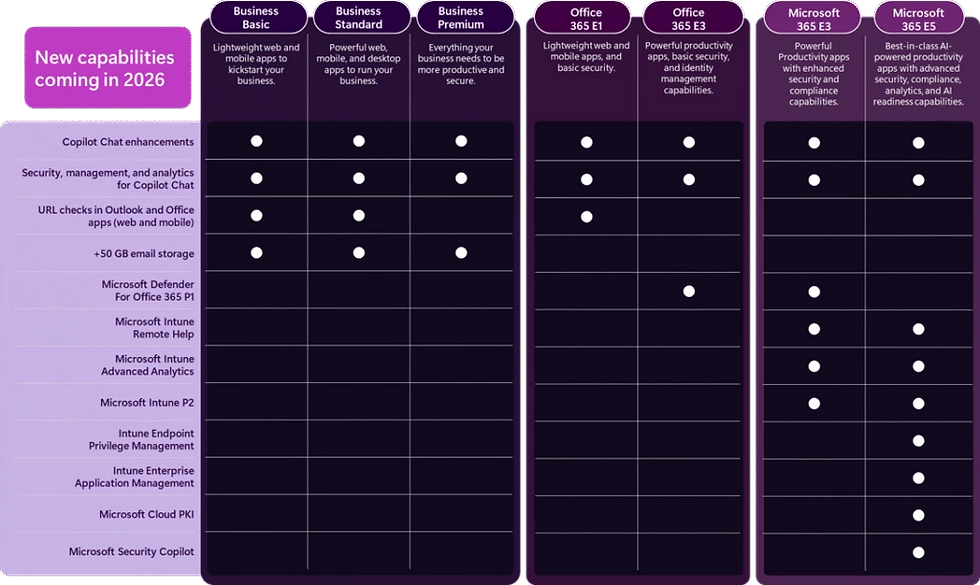
Microsoft have been rolling out Copilot Chat across Word, Excel, PowerPoint, Outlook, and OneNote since September 2025, bringing a consistent AI chat experience into the apps people use every day. The key addition going into 2026 is Agent Mode, which lets users work iteratively with Copilot to produce documents, spreadsheets, and presentations. IT administrators also get proper enterprise-grade controls to govern, manage, and measure Copilot usage across the organisation.
To be clear, this isn't the same as the full paid Microsoft 365 Copilot licence. But it does give all Microsoft 365 users a meaningful starting point with AI without needing an additional add-on, which is worth thinking about from a user adoption perspective.

Security: Defender for Office 365 Plan 1 in E3
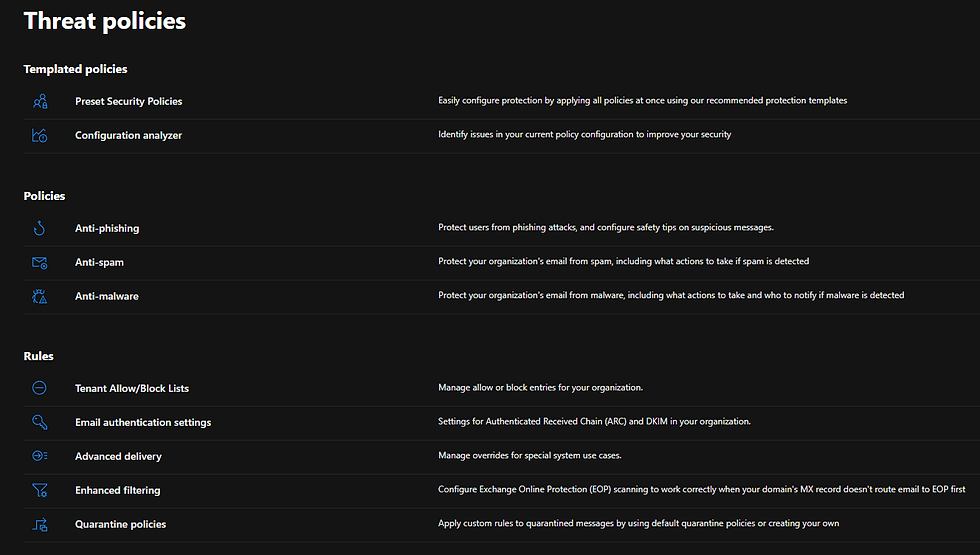
For organisations on Office 365 E3 or Microsoft 365 E3, Microsoft are including Defender for Office 365 Plan 1 as part of the subscription. This brings enhanced email security covering phishing, malware detection, and malicious link protection across email and collaboration platforms, without the need for a separate licence.
For customers on Business Basic or Business Standard, URL checks are being added which provide real-time link scanning in Outlook and Office apps. It's a simpler feature but a useful baseline protection layer.
At E5, Security Copilot is being included for all customers. Security Copilot agents are built into Defender, Entra, Intune, and Purview and there are over 70 Microsoft and partner-built agents available. This is currently a separate premium product, so its inclusion at E5 represents meaningful additional value. Microsoft will give 30 days notice before it activates for each customer.
Endpoint Management: The Most Interesting Part for a Lot of Organisations
From an endpoint management perspective, this is where the update gets interesting. Several Intune capabilities that are currently paid add-ons or part of the Intune Suite are being folded into M365 E3 and E5.
Coming to Microsoft 365 E3 and E5:
Intune Remote Help gives IT teams full remote control of a device, not just screen sharing. This means you can take direct control to troubleshoot issues rather than relying on third-party remote access tooling.

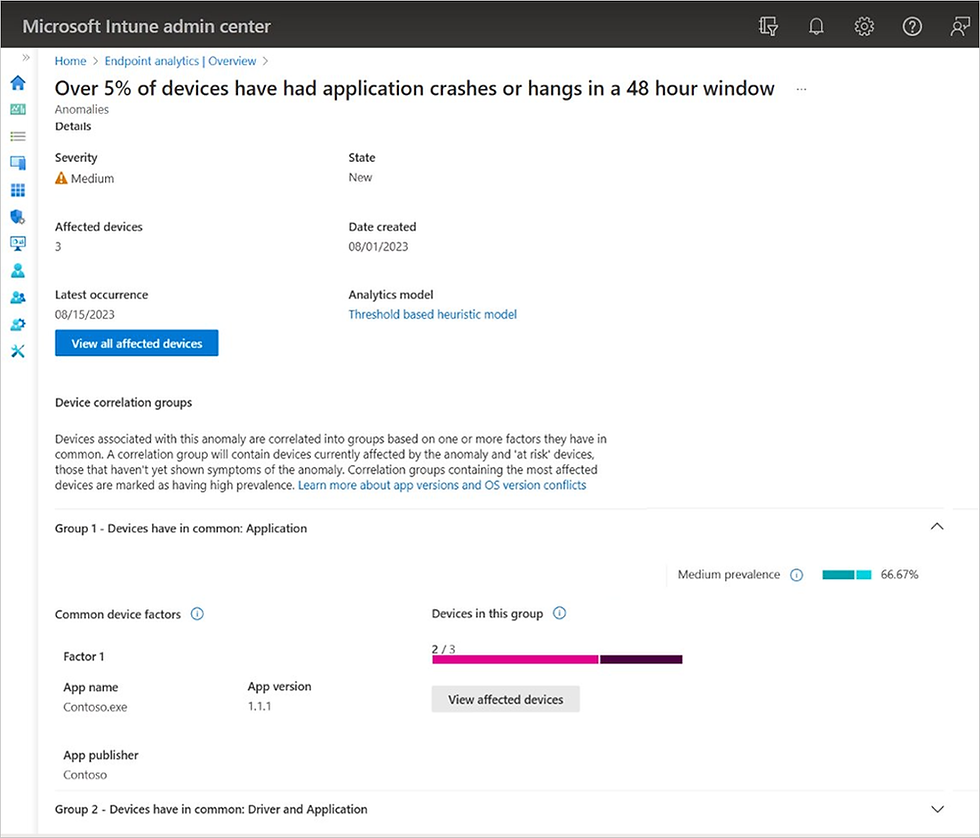
Intune Advanced Analytics uses AI-driven insights to proactively surface device issues before they impact users. Rather than waiting for support tickets to come in, IT teams can spot and address problems earlier.
Intune Plan 2 is being folded into E3 and E5, meaning you get the expanded Intune tier as standard rather than as an add-on.
Coming to Microsoft 365 E5 specifically:
Endpoint Privilege Management (EPM) allows specific applications to run with elevated privileges without giving users local admin rights. If you've ever had to hand out LAPS passwords every time a developer needs to update an app, or you've got specific software that requires admin rights to install, EPM gives you a more controlled way to handle this without compromising your security posture.

Enterprise Application Management brings automated third-party application patching into Intune. Think Chrome, Zoom, Adobe Reader and so on, managed and kept up to date without needing separate patching tooling. This is a big one for a lot of customers we work with.

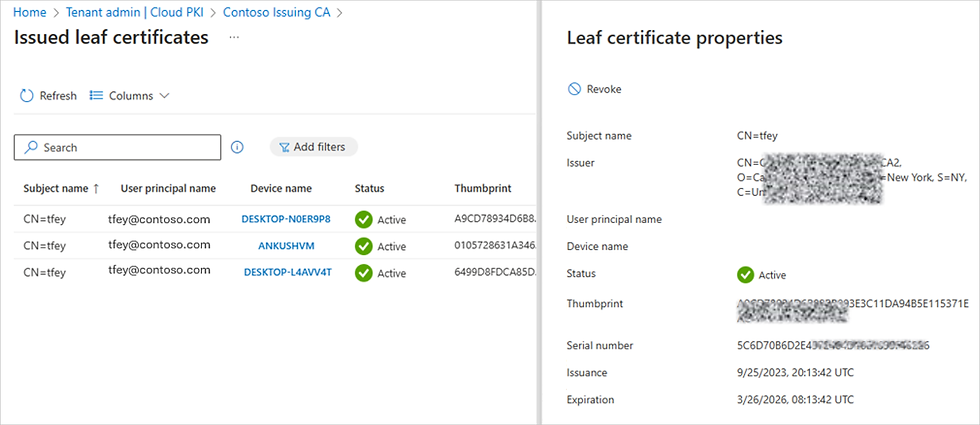
Microsoft Cloud PKI is a fully cloud-managed certificate authority service. If you're running 802.1x network authentication, certificate-based VPN, or similar, this simplifies certificate lifecycle management considerably and removes the dependency on on-premises PKI infrastructure.
What Should You Be Doing About This?
Review your current licensing. Understand which SKUs you're on and what you're paying for as standalone add-ons today. The July uplift might be partially or fully offset if some of the new inclusions replace existing spend.
Get ahead of the renewal conversation. July 2026 isn't far away, and it's better to be having this conversation now rather than being surprised at renewal time. If you're an existing HybrIT customer, speak to your account team and we can model the impact against your current estate.
Think about your Intune roadmap. If you've been considering EPM, Enterprise Application Management, or Cloud PKI but haven't committed to the investment because of the add-on cost, the E5 inclusion changes that calculation. Equally, if you're on E3 and not currently using Intune Remote Help or Advanced Analytics, these are worth planning into your IT operations once they land.
Consider Copilot readiness. Even if a full Copilot deployment isn't on the immediate roadmap, the Copilot Chat additions are a good prompt to think about governance, acceptable use, and data classification. Getting those foundations right now means you're in a better position to make use of broader AI capabilities later.
For the full detail from Microsoft, the original announcement is here: Advancing Microsoft 365: New capabilities and pricing update
If you'd like to talk through how these changes affect your specific environment and licensing, book a call with Alex or another member of the Microsoft team at HybrIT and we'd be happy to help!